
Shark Steam Mop Not Turning On? 7 Fixes to Try

Disclosure: FloorsMop is reader-supported. As an Amazon Associate, we earn from qualifying purchases. If you buy through a link on this page, we may earn a small commission at no extra cost to you. Learn more.
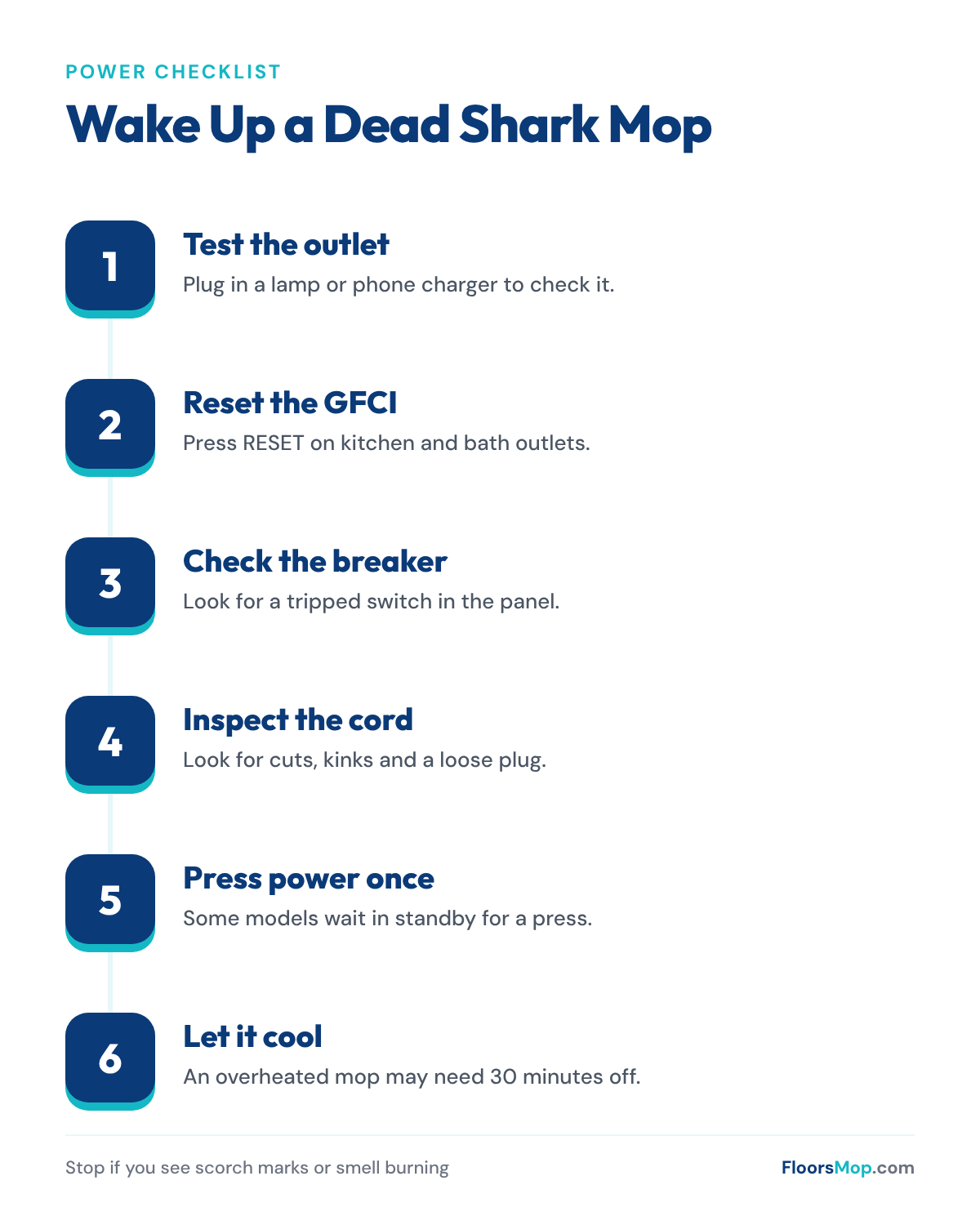
Quick answer: If your Shark steam mop won’t turn on, the problem is usually the outlet, not the mop. Test the outlet with a lamp, press the reset button on any nearby GFCI outlet, and check your breaker panel. If the outlet works, inspect the cord and plug, press the power or steam button once, and let the mop cool for 30 minutes in case it overheated.
Shark’s own troubleshooting guides start with the same two steps: plug the mop into a standard household outlet and check the fuse or breaker. Once your mop powers up, if it still won’t steam, move on to our guide on why a Shark steam mop is not steaming.
Try These Fixes First
| Symptom | Likely cause | Fix | Time |
|---|---|---|---|
| No lights, no sound | Dead outlet or tripped GFCI | Try another outlet, press RESET | 2 min |
| Worked, then died mid-clean | Breaker tripped or overheated | Reset breaker; let mop cool | 30 min |
| Works only when cord is bent | Broken wire in the cord | Stop using; contact Shark | 5 min |
| Light blinks but nothing happens | Standby mode | Press the steam button | Instant |
| Plug looks scorched | Electrical fault | Stop using right away | Instant |
| Turns on only on some outlets | Weak outlet or loose plug | Use a firm, working wall outlet | 2 min |
7 Reasons Your Shark Steam Mop Won’t Turn On
1. The outlet has no power
Outlets fail more often than people think, especially in older homes or on switched circuits. Some outlets are controlled by a wall switch that is turned off.
Fix: Plug a lamp or phone charger into the same outlet. If it doesn’t work either, try another room. Check for a wall switch that controls the outlet.
2. A GFCI outlet has tripped
Kitchen, bathroom, laundry and garage outlets usually have GFCI protection. Steam and wet floors make these trip easily, and one GFCI can cut power to other outlets on the same circuit.
Fix: Find the GFCI outlet (it has TEST and RESET buttons) and press RESET firmly. It may be in a different room from the outlet you are using.
3. The circuit breaker has tripped
Steam mops draw a lot of power while they heat. Running one on the same circuit as a kettle, space heater or microwave can trip the breaker.
Fix: Check your breaker panel for a switch that sits in the middle or off position. Switch it fully off, then on. Use the mop on a circuit with less load.
4. The cord or plug is damaged
Steam mop cords get wrapped, pulled and stepped on. A broken wire inside the cord can cut power, sometimes only at certain angles.
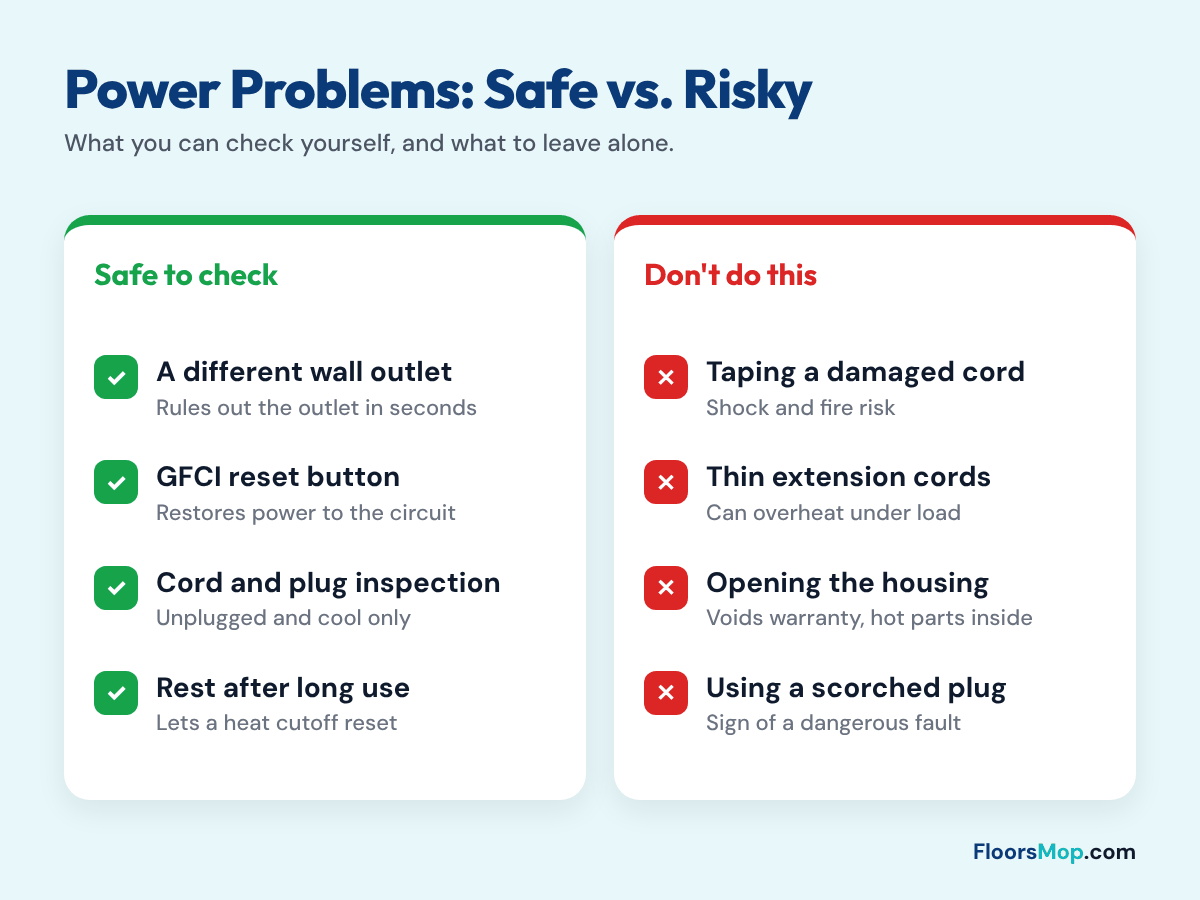
Fix: Unplug the mop and run your hand along the cord. Look for cuts, flattened spots, kinks near the plug and near the handle, and bent or scorched prongs. If you find damage, stop using the mop. Don’t tape it.
5. The mop is in standby
Many Shark steam mops power on into standby. The light may blink, and the mop does nothing until you press the steam button. People sometimes read this as “won’t turn on.”
Fix: Press the steam control button once. If you see a flashing light, read our guide to Shark steam mop lights flashing, then press the button to choose a level.
6. The mop overheated
Most steam mops have a thermal cutoff that shuts them off if they get too hot. This can happen after long use, or if the tank ran dry while the mop was on.
Fix: Unplug the mop and let it cool for at least 30 minutes. Refill the tank, plug it in, and try again.
7. An internal part has failed
If the outlet works, the cord looks fine, the mop has cooled and it still shows no sign of life, the power switch, thermal fuse or control board may have failed.
Fix: Contact Shark support. A blown thermal fuse is a safety part, and replacing it is a job for a qualified repair shop.
Model Differences to Know
| Model family | What to check |
|---|---|
| Steam Pocket (S3501, S3601) | Plug and cord; blue standby light needs a button press |
| Lift-Away (S3973 family) | The handheld unit must be locked into the mop body for power to pass through |
| Steam & Scrub (S7001, S8201) | Check the cord where it enters the handle, a common wear point |
| Steam Pickup (SD200) | More functions draw more power; avoid shared circuits |
See our Shark S3501 review and Shark Lift-Away S3972 review for model details.
Prevention Tips
- Wrap the cord loosely on its hooks, never tightly around the handle.
- Unplug by holding the plug, not by pulling the cord.
- Don’t let the tank run dry while the mop is on.
- Avoid running the mop on the same circuit as other heating appliances.
- Store the mop indoors, away from damp garages.
When It Needs Shark Support
Call Shark support (the number is in your manual and on the Shark website) if the mop is under warranty and no outlet works, or if you see any damage to the cord or plug. Have your model number and receipt ready.
If the mop is out of warranty and has an internal fault, a new mop is often the better choice. See our guide to the best steam mops and how long steam mops last. For general steam mop issues across brands, read why a steam mop stops steaming.
What to Buy If You Need Parts
- Pads: once it’s running, fresh Shark steam mop pads improve the clean.
- Heavy-duty extension cord: if you must use one, choose a heavy-duty 14-gauge extension cord and keep it short.
- Replacement mop: current Shark steam mops or the Bissell PowerFresh.
For the best results once it works again, follow our guide on how to mop a floor properly.
Frequently Asked Questions
Why is my Shark steam mop not turning on?
Usually the outlet has no power, a GFCI or breaker has tripped, or the cord is damaged. Test the outlet first, then check the cord.
Does a Shark steam mop have a reset button?
Most models don’t have a separate reset button. Unplugging for a few minutes and plugging into a different outlet resets standby and many glitches.
Can a Shark steam mop overheat and shut off?
Yes. A thermal cutoff can shut it down after long use or if the tank runs dry. Let it cool for 30 minutes and refill the tank.
Is it safe to use a Shark steam mop with a damaged cord?
No. Stop using it and contact Shark or replace the mop. A damaged cord is a shock and fire risk.
Why does my Shark steam mop turn off by itself?
It may be overheating, the tank may be empty, or the cord may have a loose wire. Check each one, and stop using it if it smells hot.